
The Business Case for Holiday Cards (and Holiday Gifts): Why Printing Matters More Than Ever
September 25, 2025
Keeping Eco-Friendly Printing Green
May 6, 2026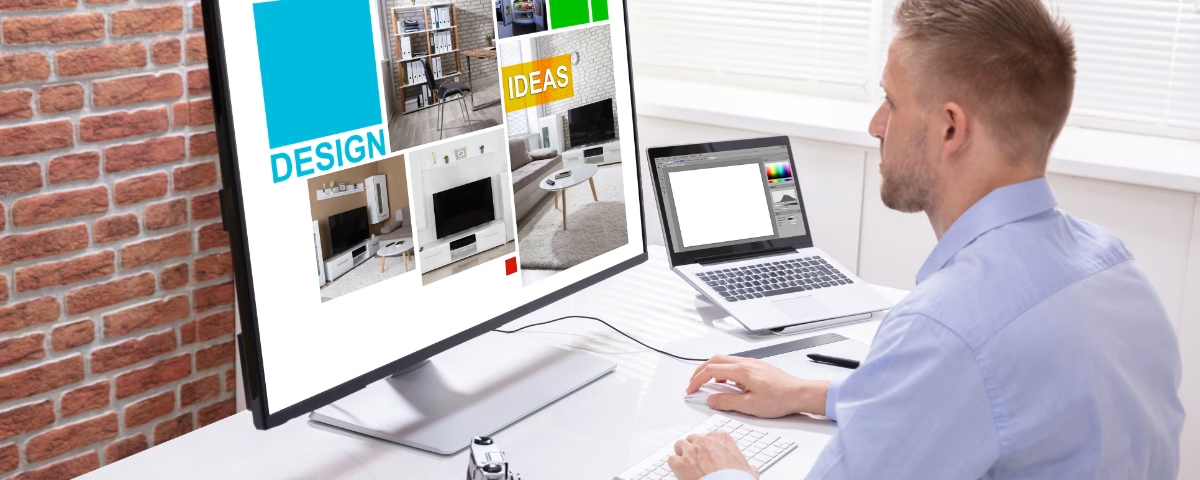
Creating a design for professional printing was once a domain of specialists such as graphic designers and print shops. However, that began to dramatically shift with the increasing presence and resources of do-it-yourself (DIY) design platforms such as Adobe Illustrator, Photoshop and especially Canva.
Here at Aurora Fastprint, helping people share their messages with original ideas and formats exposes us to much more than the enjoyment of customer service. It also keeps us at the front of how our industry continues evolving. As adaptive, dedicated print professionals, we embrace the power of new resources and capabilities.
As platforms such as Canva give consumers access to greater design tools, we like to inform you as much as we embrace our own proactive awareness of the print and design marketplace.
With that in mind, we’ll succinctly review how the growth of DIY design has influenced print and how it now complements our service for Aurora, Oswego, Montgomery, Sugar Grove, Naperville, and Yorkville (IL).
DIY Design Platforms: A Quick Timeline
The rise of DIY web-based design in the print industry progressed in increments before leaping in the 2010s. The following is a brief review of its early foundations to where we are today.
Late 1990s to mid-2000s: DIY design present but not yet in the mainstream
Online printers such as Vistaprint (founded 1995) introduce simple browser-based design tools. Vistaprint also lets consumers print in smaller runs than had typically been viable for traditional print shops. While convenient, the early templates are limited in their flexibility and font choices. They mainly serve small businesses wishing to create a basic template for a flyer or business cards.
2010 to 2015: Turning point in public access
The launch of online platforms such as Canva (2013) revolutionize DIY design for the average consumer. The web-based resources include intuitive features such as drag-and-drop design, vast libraries of free templates, and cloud-based file work and storage (no software required).
2015 to 2018: Major advance into the printing industry
DIY design becomes dominant in many print-industry sectors. Many traditional print shops must adapt or else lose business. They begin integrating web-to-print portals with customer-created designs at their websites. In some cases, customers are encouraged or even expected to design their own projects online. This period sees a big rise in online templates for business cards, event flyers and social media–driven communications for print.
2019 to the present: DIY design intrinsic to professional print
Now fully mature and dominant, DIY platforms such as Canva become standard tools in the printing profession. DIY design expands further into areas such as packaging, large-format printing and branded merchandise. The DIY designer also now produces print-ready files.
DIY design has steadily expanded during the last 30 years because of its increasing simplicity (no training needed), cost savings (design fee removed) and speed (instant edits, uploads and downloads), as well as its integration with printing shops’ resources.
The Consumer-to-Canva Design Connection
Today’s online platforms such as Canva adjust some of the trained designer’s role in print projects, but they do not negate it. Rather, they often bring customers and designers together in highly productive and efficient ways.
A design’s outcome once might have depended on how well a customer conveyed their thoughts and how well a designer could interpret them. With today’s effusion of online design prompts and resources, even a customer with no design background can begin their concept and either complete it themselves or have it perfected and finished by a professional designer.
With more than 260 million current active monthly users, Canva is one of the most popular platforms online. Just a few of its leading strengths include:
an appealing and responsive user interface for different screen configurations (e.g. tablet, laptop, desktop)
thousands of free templates for projects such as logos, posters, presentations, flyers, banners, invitations, business cards, stickers and videos
creating posts instantly sized for different social media platforms
developing early-stage ideas that can be shared with a professional designer
In particular, Canva attracts younger people who have been raised in the digital world and who might not be familiar with the past era of traditional printing.
Often made of freelancers, marketers and gig workers, this audience may tend to focus its marketing strategies on digital campaigns. Because of its continued web-to-print aspect, Canva allows these individuals to discover to the enjoyment of producing and handling physical media.
As DIY designers of all ages and skill levels use platforms such as Canva, they also further develop their ability to communicate and collaborate with print professionals using design language and principles. In this way, Canva clears hurdles between amateur designers and professional printers in creating higher-quality print jobs with fewer corrections.
Canva Design: Complementing Print
Here at Aurora Fastprint, Canva’s contributions to design and print have enhanced our support of customers as well. In particular, they have:
expanded market reach. Small businesses, nonprofits and individuals who once couldn’t afford pro designers can today create print-ready designs. Because they can now produce projects within their scope of resources, they have increased their demand for printing services.
simplified file preparation. Web platforms such as Canva can export in high-quality, print-ready formats (e.g. PDF, SVG, PNG). We in turn can print superb pieces from these files. This also reduces challenges once posed when customers submitted unusable or incompatible formats.
elevated service opportunities. With Canva’s design output, we can offer special components not available through Canva, such as premium papers and finishes, binding and large-format printing, even for DIY designs.
While Canva’s design and file outputs are improved, Canva does not replicate the expertise, equipment and tactile quality of professional printing. For optimal final products from inspired designs, we still lead the way in:
color accuracy & reproduction. We work in CMYK color profiles and understand how colors translate from screen to print. We also can manage Pantone matching, spot-colors gradients and metallic inks, which most DIY platforms cannot simulate precisely. This goes a long way for brand consistency for elements such as logos, packaging and corporate branding.
material selection & finishing. We offer a diverse selection of paper stocks, textures and weights ranging from matte, glossy and recycled papers to specialty materials. We can apply special finishes such as embossing, foil stamping, varnishes and die-cut shapes as well.
troubleshooting technical issues. When working with complex files, professionals like those at Aurora Fastprint can address important factors such as proper bleeds, crop marks, resolution and transparency flattening. This prevents costly issues such as color shifts, misalignment and pixelation, which can accompany DIY designs.
custom & large-format printing. Where Canva offers mainly standard digital templates, our onsite resources can accommodate oversized prints, banners, signs, posters and packaging. We also can produce specialized items such as booklets, labels, menus and 3D packaging.
efficiency & speed of production. Most DIY online platforms are driven by client downloads and third-party printing. This can often slow high-volume or specialty orders. A professional print shop has automation, industrial presses, cutting machines and binding equipment for quicker and more-consistent output for bulk or complex projects.
As you can infer, perhaps now more than ever, the online design environment places professional printers in expanded roles as value-added design and quality-assurance consultants.
With our refined knowledge and skill, we support DIY designs such as from Canva by ensuring their ideal print-readiness for customers in Aurora, Oswego, Montgomery, Sugar Grove, Naperville, and Yorkville.
Better Printing: DIY Design Tips
Aurora Fastprint is an inspired advocate of original designs completed with time-and-cost-saving precision. We are always here to help our customers succeed in delivering their messages in memorable ways.
The following are a few tips to keep handy when you’re preparing a DIY design for professional print. The fewer the issues in the file, the quicker your items can be processed and delivered!
DIY Design for Print
Resolution Your file should be 300 dpi (dots per inch). Anything lower can appear blurry or pixelated when printed.
Color Mode Remember that screens use RGB and printers use CMYK. Designing in RGB can cause color shifts when printed. If your DIY platform permits, switch to CMYK before exporting.
Bleed Without a bleed, your final printed piece may have white edges. Adding a bleed ensures your design goes all the way to the edge after trimming. The standard bleed is 0.125″ (1/8 inch) on all sides.
Content To keep important content safe, ensure that text and logos are at least 0.125″–0.25″ inside the trim edge. This prevents anything important from being cut off.
Images Avoid screenshots and compressed files as well as images pulled from the web. Use instead original photos, high-res downloads and, when possible, vector graphics. The best file types for print are PDF (preferred), PNG (high resolution) and TIFF (for high-end projects).
Print & Design Near Me: Contact Us Today
The team at Aurora Fastprint loves three things: to create, to print and to serve. If you have a Canva design you’d like to print with enhanced quality and professionalism, inquire about all we can do for Aurora, Oswego, Montgomery, Sugar Grove, Naperville, and Yorkville (IL) customers – just give us a call at (630) 896-5980!